Skip to content


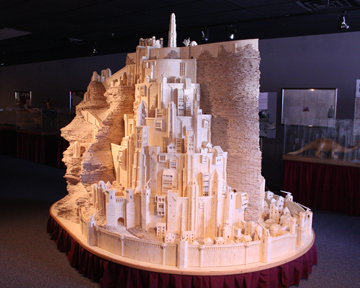
Minas Tirith made out of matchsticks

Minas Tirith

.

Minas Tirith!

The Great White City. . .  City of Kings. . .   Capital of Gondor. . .

Matchstick Marvels will take you on another fantastic journey as Patrick Acton completed his matchstick model of J.R.R. Tolkien’s City of Kings from the Lord of the Rings trilogy! Come along for a trip to Middle Earth and its Great White City, Minas Tirith.

Read more at Matchstick Marvels

Posted in Scratch Building.

Tagged with LoTR, Matchstick Terrain, Minas Tirith.


New Models from Dave Graffam

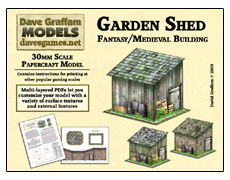
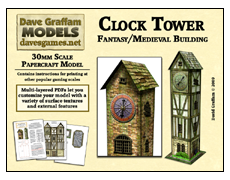
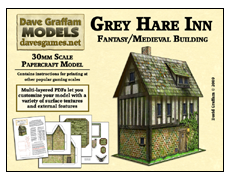
These are 30mm papercraft terrain models featuring multi-layered PDFs. All of those extra layers mean you get to choose from a variety of base textures and external features. Customize your creations and print lots of different versions of each model with just a click of your mouse.

Garden Shed

Clock Tower

Grey Hare Inn

Visit: Dave’s Games.

Posted in Paper Terrain.

Tagged with Buildings, Dave Graffam, Paper Terrain.


Games Workshop: Fortress of Redemption

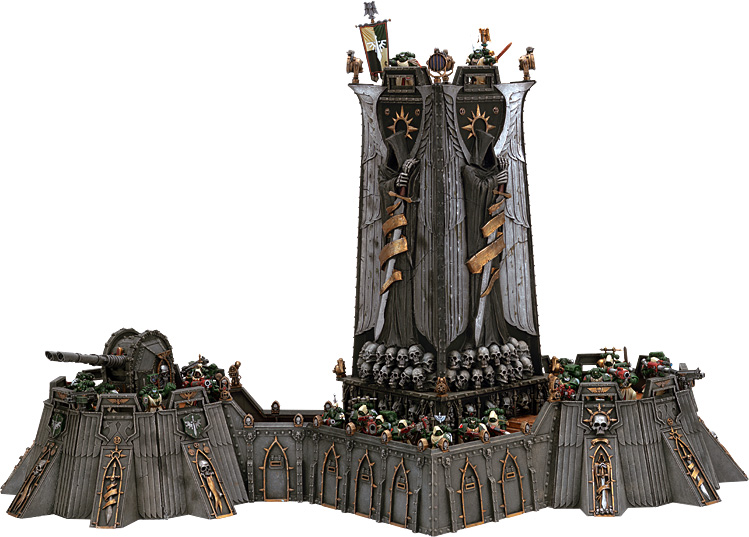
Games Workshop has just released a new terrain kit (for pre-order) called the Fortress of Redemption.

It’s 2 feet wide and 14 inches high. I’ll have a look at it but I doubt that I’ll buy it. People more into 40K than I am might jump on it though. :-)

GW Fortress of Redemption

GW Fortress of Redemption

Fortress of Redemption; Legions of The Eye Launched, New Advance Orders | Friday, 23 October | What’s New Today | Games Workshop.

Reblog this post [with Zemanta]

Posted in Kits, Product Reviews.

Tagged with Games Workshop, Warhammer 40K.


World Works Games TerrainlinX

World Works Games releases preview for the up coming TerrainlinX

WorldWorksGames is running a very special and rare sale in anticipation of its groundbreaking new terrain system TerrainlinX. From August 27th to the 31st you can get your hands on any WorldWorksGames catalog product for 20% off! This is a terrific opportunity to experience the WorldWorksGames difference or increase your existing terrain collection. Please note: your special 20% off discount will not appear until you view your cart and or checkout.

TerrainlinX Launches Sept 1st!

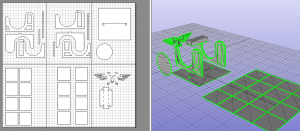
On September 1st WorldWorksGames will be launching the first in a series of products for the fantasy city of Himmelveil. First conceived in 2004 and over 2 years in the making, our first two releases “Streets” & “Sewers” will cover city infrastructure but in a unique way that has never been achieved before in gaming terrain. Utilizing our upcoming TerrainlinX building system; streets, sewers and multi-leveled structures can all happily coexist on the same gaming table! Everything is on-the-fly modular and absolutely everything is accessible! Not only that but we’ve incorporated automated, consumer machine cutter compatibility to speed up your builds as never before!

Posted in Paper Terrain, Product Announcements.


Warhammer 40,000 and Magnets

I have seen many posts that show how to add magnets to your Warhammer 40,000 models.  Many of the figures and vehicles have such a multitude of options that it is almost a crime to permanantly glue just one option on to them.   The best, and fairly simple, solution is to use magnets into your models.  This way you can remove and add the options you need for each individual game.  This also keeps you from purchasing multiple models in order to have all the options you may need.

Where to start?  Well the best place to start is to take your model and measure the areas that you want to add the magnet to.  You will need to check the entire area including depth.   Once you have figured out if you can even insert magnets into your model it is time to do a check list of tools.

  • Tweezers
  • Super Glue
  • Pin Vice
  • Drill Bits (the same diameter as the magnets)
  • Red Paint (or any brightly coloured paint)
  • Magnets

Have everything you need?  Here are some links you may find what you need.  I have not tried any or all of these companies so please do a little research before purchasing on line.

Tools

Magnets

For my Tau Crisis Suits I went with 2mm x2mm magnets.  I used a 2mm drill bit.  I had grown up with the Imperial measurement system, however I am now living where they use metric.  If your having problems figuring out what drill bit or magnet size that use different measurements try this Online Conversion website.
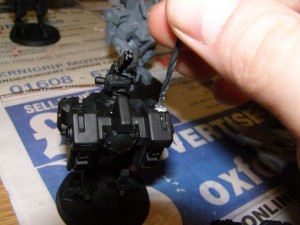
Step One

Step Two

STEP ONE: Get a paint brush or cotton swab and some bright coloured paint.  Taking the magnets (the normally form a stright line) paint one side of the magnets, either the positive or the negative but not both sides.  This step is the most important step! If you place a positive side facing outward then do the same for the part you want to attach they will repel each other!  This is the easiest way of keeping track!  Remember opposites attract.

STEP TWO: Carefully drill the holes to the proper depth.  If your unsure then stop drilling and place the magnet into the hole to check the depth.  I placed four holes in each Tau Crisis Suit.  One in each shoulder and one in each arm.  I then placed a hole in each of the weapons and Crisis Suit Upgrade items (Multi-Tracker and Target Lock) .  Once you have all your holes drilled proceed to the next step.
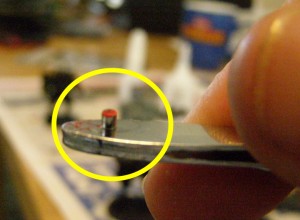
tau-magnets-003

Step Three

STEP THREE: Decide what is the facing side for the model.  I choose the unpainted side (silver) for the Crisis Suits and the Red side for the Weapons.  Taking a metal tweezers I attached one magnet to it.  Making sure that the Red Side is facing up!  I then add super glue to the magnet and using the tweezers I insert the magnet so it is flush with the surface of the model.
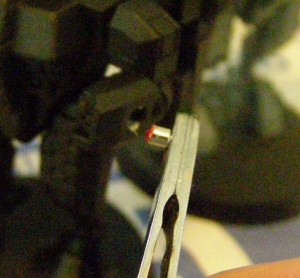
Step 3
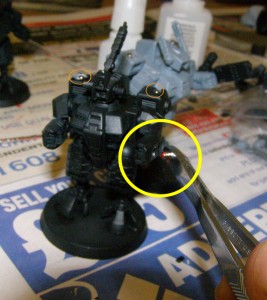
Step 3

Step 3

Step 3

Do the same for the weapons but make sure the painted side (or opposite side) is facing to make sure they attach properly.
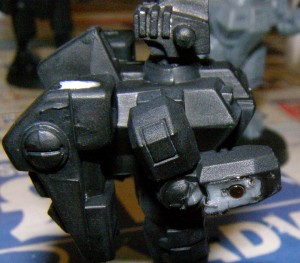
Finished arm.
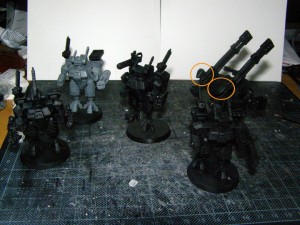
Finished arm.

Modular Crisis Suits and Broadside Battle Suit

Modular Crisis Suits and Broadside Battle Suit

That is all there is to it!  Just remember to take care when drilling.  Some times the heavier Commander weapons will droop however a quick nudge and they are back up again.  I know some sites suggest placing a second 1mm x 1mm magnet in the arm to keep this from happening.  I may one day try this, but so far I am pleased with the results!  Next step is to add magnets to my Tau Devilfish, Piranha, Hammerhead, Skyray and possibly even the drones.

Now this will work for any of your Warhammer 40k models.  Just make sure the magnet will fit without weakening the model first before you start drilling.  I have a friend who is going to do this to his Chaos Terminators and some of his Tactical Marines as well.  I will try to edit this post with pictures.
Reblog this post [with Zemanta]

Posted in Terrain Building.

Tagged with Crisis Suits, Rare-earth magnet, Tau Empire, Warhammer 40K.


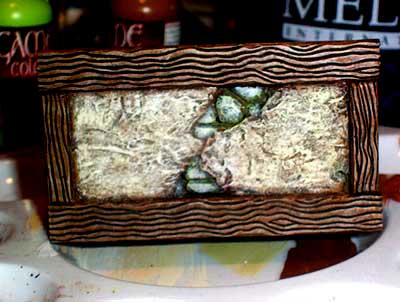
Making a Stucco Wall

This isn’t “technically” a stucco wall. Its a variation on Wattle and Daub. Wattles were woven sticks or reeds inside a wooden framework and then covered with Daub (clay, dung, whatever was available locally.) This provided insulation and sealed the gaps against the weather. I’m sure that I’ve seen a similar technique applied to loose stone stacked between wood support beams but couldn’t find anything. Since I live in a fantasy world anyway, I thought, “What the hell! Slap me in a dress and call me Alice.” Err… I mean, “cover it in spackle and pretend its real”. I also figured more people would know what I’m talking about if I called it stucco. I’m very pleased with the result and to heck with reality.

stucco12

Continued…

Posted in Terrain Building.


Kit Bashing a Warhammer Fence

I was working on my Warhammer Manor and decided that I’m going to base it. Once that decision was made, i started to lay out the base features. I was futzing with the walls and fences when I had the brilliant notion to make the gate a functioning one.

I usually get in over my head when I have these simple ideas.

Continued…

Posted in Terrain Building.


Kit Bashing a Warhammer Fence

I was working on my Warhammer Manor and decided that I’m going to base it. Once that decision was made, i started to lay out the base features. I was futzing with the walls and fences when I had the brilliant notion to make the gate a functioning one.

I usually get in over my head when I have these simple ideas.

The obvious first step is to cut the gate off. It’s a tight fit and I didn’t want to pinch any of the plastic. A razor saw is the perfect answer. The bottom was a little fiddly as a few posts are attached directly to the ground.

Warhammer Wall with gate intactWall with Gate Removed

Continued…

Posted in Kits.

Tagged with Kit Bashing, Styrene, Walls and Fences, Warhammer.


Mayhem: Urban Grind – Buy this model set, help a kid with cancer!

File Size = 34.5MB

On Christmas eve, 2006 our family ran headlong into dark waters. My sister’s 8 year old son Chase Ripper was rushed to the hospital and shortly thereafter diagnosed with ALL Leukemia. Chase is now undergoing a second round of treatment to fend off lingering cancer cells.

Coming to my families aid, the crew here at WorldWorksGames pulled together in order to create a terrain set dedicated to Chase Ripper and family. The proceeds of which will go directly into Chase’s trust fund, to help offset some of the costs associated with 24/7 care over a period of many months. Every little bit helps in this fight and we won’t stop diverting money from this set until the crisis is over. Once that happens we’ll feed remaining sums into another cancer charity.

Continued…

Posted in Paper Terrain, Product Announcements.


STRATEGY WAVE STUDIOS RELEASES SECOND FREE DOWNLOADABLE BUILDING CREATION PACK FOR COMBAT STORM MINI

WATERLOO , ON ? August 3, 2008 – Strategy Wave Studios has released their second building creation pack as a free download for their popular plastic army men miniature wargame, Combat Storm. The pack contains colorful custom photo-realistic templates which give players the ability to create their own buildings and scenery pieces when playing Combat Storm. Building Creation Pack #2 is available immediately via CombatStorm.com.
Continued…

Posted in Paper Terrain, Product Announcements.